How to Build an Effective Software Development Workflow
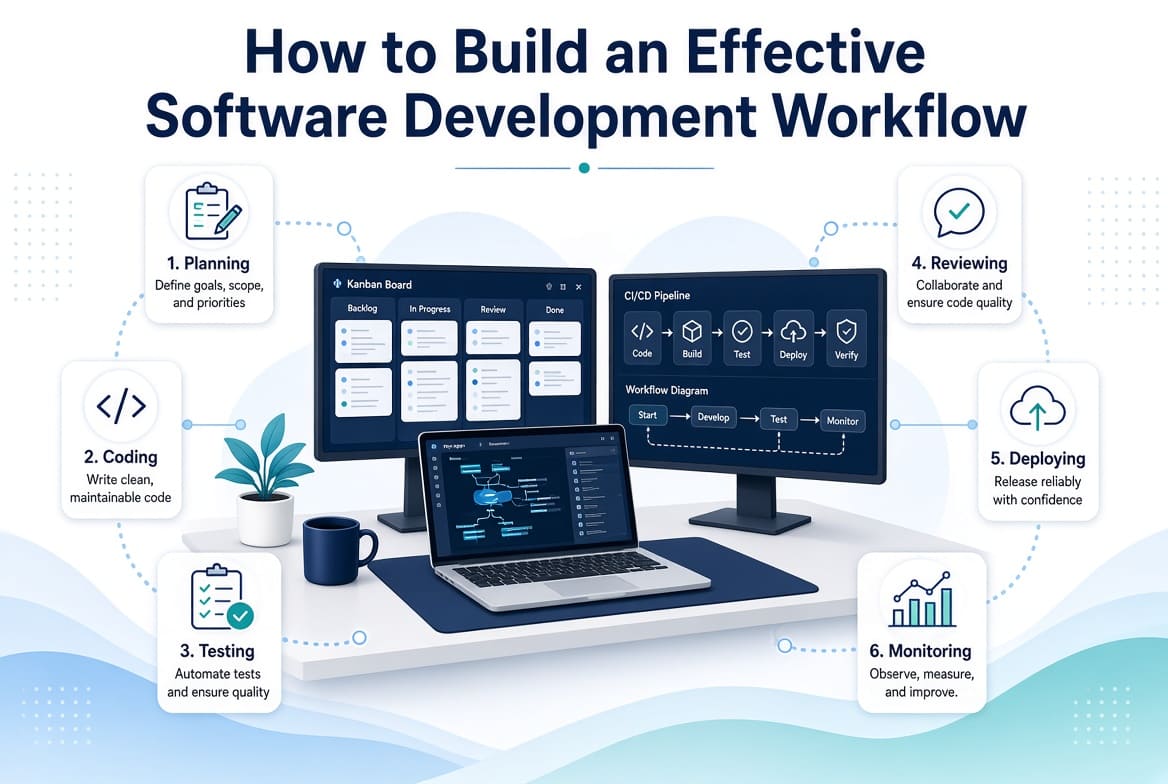
A software development workflow is the path a piece of work follows from an idea to working software.
It sounds simple. In practice, many businesses have no clearly defined workflow at all.
A customer requests a feature. Someone mentions it in a meeting. A developer starts working on it. Questions appear halfway through development. The requirements change. The developer opens a pull request. Nobody reviews it for several days. Testing discovers a problem. The release gets delayed.
The problem is not necessarily the developers. The process is broken.
A well-designed software development workflow gives everyone a predictable way to move work from planning through development, testing, review, deployment, and feedback.
It does not need to be complicated. In fact, the best workflows are often easier to understand than the processes they replace.
What Is a Software Development Workflow?
A software development workflow defines how software work moves through your organization.
A basic workflow might look like:
Idea → Planning → Task → Development → Code Review → Testing → Staging → Production → Monitoring
Different businesses will have different versions of this process.
A startup building a small web application may have a lightweight workflow.
A financial services company may require additional approvals, testing, security checks, and compliance controls.
The goal is not to copy another company's workflow.
The goal is to create a process that matches the complexity and risk of your own software.
Step 1: Start With the Business Requirement
Do not begin with code, Begin with the problem.
Before creating a development task, answer:
- What problem are we solving?
- Who has the problem?
- Why does it matter?
- What should the finished feature accomplish?
- How will we know it works?
- Are there technical or business constraints?
For example, instead of creating a task called:
"Improve checkout."
define the actual problem:
"Customers are abandoning checkout because the payment process requires too many steps."
That gives the development team useful context. The technical solution can then be discussed.
Step 2: Define What "Done" Means
One of the biggest sources of disagreement between developers and business teams is the meaning of "finished."
A feature may be technically implemented but not ready for customers.
Define a Definition of Done.
It might include:
- Code completed
- Code reviewed
- Automated tests passed
- Manual testing completed where required
- Documentation updated
- Security checks completed
- Staging validation completed
- Product owner approval received
- Production deployment completed
The definition will vary by project. The important thing is that the team agrees on it before work begins.
Step 3: Break Work Into Manageable Tasks
Large requirements should be divided into smaller pieces.
Instead of:
"Build an e-commerce platform."
you might have:
- Product catalogue
- Product search
- Customer registration
- Shopping cart
- Checkout
- Payment integration
- Order management
- Customer notifications
- Administration dashboard
Then break those features into development tasks.
Smaller tasks make it easier to:
- Estimate work
- Assign ownership
- Review changes
- Test functionality
- Identify blockers
- Track progress
They also reduce the risk of having one enormous pull request that nobody wants to review.
Step 4: Prioritize the Backlog
Not every task deserves immediate development.
A backlog should make priorities clear.
A simple system might use:
- Critical — production issue or business-critical requirement
- High — important feature or problem
- Medium — useful improvement
- Low — improvement that can wait
You can use more sophisticated prioritization methods, but the important thing is that developers know what should happen next.
Avoid telling developers that everything is urgent. If everything is a priority, nothing is.
Step 5: Create a Development Branch
Once a task is ready, the developer should create a branch from the appropriate base branch.
A simple naming convention might be:
feature/customer-dashboard
bugfix/payment-timeout
hotfix/login-error
The exact naming convention is less important than consistency.
Branching helps isolate changes and allows multiple developers to work without constantly interfering with each other's code.
Step 6: Write the Code
Now the developer can implement the requirement. But development should happen against agreed standards.
These may include:
- Coding conventions
- Architecture patterns
- Naming standards
- Security requirements
- Testing requirements
- Dependency policies
- Database conventions
Automated tools should enforce as much as practical.
For example, use linters and formatters to catch basic issues automatically rather than making developers argue about formatting during code review.
Step 7: Test While Developing
Testing should not begin only after all development is finished. Developers should test their changes as they work.
Depending on the application, this might include:
- Unit tests
- Integration tests
- API tests
- Component tests
- End-to-end tests
- Manual testing
The appropriate level depends on the risk and nature of the software.
A simple marketing website does not require the same testing strategy as a banking platform.
The principle remains the same: Find problems as early as possible.
Step 8: Open a Pull Request
Once development is complete, the developer opens a pull request.
The pull request should give reviewers enough context to understand the change.
A useful template might ask:
What changed?

Why was it changed?

How was it tested?

Are there database changes?

Are there configuration changes?

Are there known limitations?

Screenshots:
This is particularly valuable for remote teams because the pull request becomes a durable explanation of the work.
Step 9: Review the Code
Code review should examine more than whether the application compiles.
Reviewers should consider:
- Does the solution meet the requirement?
- Is the implementation understandable?
- Are there security concerns?
- Are there unnecessary dependencies?
- Could the change introduce performance problems?
- Are important tests missing?
- Does the change fit the existing architecture?
Keep reviews focused. A reviewer should not rewrite the developer's entire approach simply because they personally prefer a different style.
Step 10: Automate the Quality Checks
A pull request should trigger automated checks.
For example:
Pull Request
     ↓
Install Dependencies
     ↓
Lint
     ↓
Unit Tests
     ↓
Integration Tests
     ↓
Build
     ↓
Security Checks
     ↓
Ready for Review
This reduces the amount of repetitive work developers have to perform manually.
CI/CD platforms such as GitHub Actions and GitLab CI can automate many of these tasks.
The specific platform is less important than having repeatable checks.
Step 11: Deploy to Staging
For applications where staging is appropriate, deploy the approved change to a staging environment before production.
Staging should be close enough to production to reveal meaningful problems.
Test:
- Core functionality
- Integrations
- Authentication
- Permissions
- Important user journeys
- Performance where necessary
- Regression issues
The staging environment should not become a dumping ground for unrelated unfinished work.
Step 12: Approve the Release
The level of approval should depend on the business.
A small internal application may allow developers to deploy directly after automated checks pass.
A regulated or customer-facing system may require additional approval.
Define the rule in advance.
Do not invent the approval process every time something needs to be released.
Step 13: Deploy to Production
Production deployment should be predictable.
Where practical, automate deployment.
Your release process may include:
- Database migration
- Application deployment
- Cache clearing
- Asset compilation
- Health checks
- Smoke tests
- Monitoring
The deployment procedure should be documented.
A developer should not have to remember a collection of commands that only one person knows.
Step 14: Monitor What Happens After Release
Deployment is not the end.
It is the beginning of the software's interaction with real users.
Monitor:
- Errors
- Performance
- Availability
- Database health
- Infrastructure
- Important business events
If a new release causes problems, the team should know quickly.
Monitoring tools can provide alerts and technical context that help developers investigate incidents without waiting for users to report every problem.
Step 15: Collect Feedback
The workflow should return information to the beginning.
After a feature is released, ask:
- Did users actually use it?
- Did it solve the original problem?
- Did support receive complaints?
- Did performance change?
- Did the feature create new problems?
- What should be improved?
Software development is not a straight line.
It is a loop:
Plan → Build → Release → Learn → Improve
That feedback should influence the next set of priorities.
Build the Workflow Around Small Changes
One of the best ways to improve a development workflow is to reduce the size of changes.
Large releases create large risks.
If developers work on small, independent changes, you can review and release them more frequently.
This can make problems easier to identify and easier to fix.
It also helps remote teams because developers do not have to coordinate massive changes across several people before anything can move forward.
Automate the Boring Parts
Look at every repetitive step in your workflow.
Ask:
"Does a person really need to do this?"
If the answer is no, automate it.
Examples include:
- Running tests
- Formatting code
- Building applications
- Deploying staging environments
- Generating documentation
- Checking dependencies
- Sending deployment notifications
- Creating release notes
Automation should remove repetitive work, not make the workflow unnecessarily complicated.
Document the Workflow
A workflow that exists only in the manager's head is not a real workflow.
Write it down.
Create a simple document explaining:
- How work enters the backlog
- How priorities are decided
- How developers start tasks
- How branches are created
- How code is reviewed
- What tests are required
- How staging works
- Who approves releases
- How production deployments happen
- What happens after deployment
New developers should be able to read the document and understand how work moves through the organisation.
This also makes onboarding much easier.
For a detailed onboarding process, see How to Onboard Remote Software Developers: A Complete Checklist.
Make the Workflow Fit the Team
There is no universal development workflow.
A two-person startup should not have the same process as a 300-person engineering organisation.
Too little structure creates chaos.
Too much structure creates bureaucracy.
The right workflow sits between those extremes.
For a small team, this might be enough:
Backlog → Task → Branch → Pull Request → Review → Test → Deploy
For a larger organisation, you may need:
Requirement → Design → Technical Review → Development → Automated Testing → Security Testing → Code Review → Staging → QA → Approval → Production → Monitoring
Choose the simplest process that gives you the necessary control.
Measure the Workflow, Not Individual Developers
If you want to improve the workflow, measure how work moves through it.
Useful questions include:
- How long does work wait before development starts?
- How long does development take?
- How long do pull requests wait for review?
- How often do deployments happen?
- How frequently do changes cause incidents?
- How quickly are production issues resolved?
These measurements help identify bottlenecks.
For example, if developers finish work quickly but pull requests sit for three days waiting for review, hiring more developers will not necessarily solve the problem.
The bottleneck is code review. Fix the bottleneck instead.
Common Workflow Problems
Tasks are too large
Break them into smaller deliverables.
Requirements keep changing
Establish clearer acceptance criteria before development begins.
Pull requests stay open too long
Reduce PR size and establish reasonable review expectations.
Testing happens too late
Move automated testing earlier into the workflow.
Deployments are stressful
Automate deployment and document rollback procedures.
Only one person understands deployment
Document and standardize the process.
Developers do not know what to work on
Improve backlog prioritization.
Production problems surprise everyone
Improve monitoring and alerting.
Final Thoughts
An effective software development workflow should make good work easier.
It should tell everyone what happens next without creating unnecessary bureaucracy.
The most useful workflow is usually the one that is:
- Clear
- Repeatable
- Documented
- Automated where practical
- Easy to measure
- Appropriate for the team's size
- Focused on delivering useful software
Start with the actual problems your team experiences.
If requirements are unclear, improve planning.
If work gets stuck in review, improve code review.
If releases are risky, improve testing and deployment.
If developers cannot find information, improve documentation.
Do not add process simply because another company uses it.
Build a workflow around the way your business actually develops and delivers software.
When that workflow is clear, remote developers can work independently without becoming disconnected, managers get better visibility, and businesses gain a much more predictable path from an idea to a production release.
Related Articles